HIGH-SPEED ENGINE • ZERO DISK CONCATENATION • Release v1.1.8

Ultra-Fast Acceleration. Zero Concatenation Freeze.

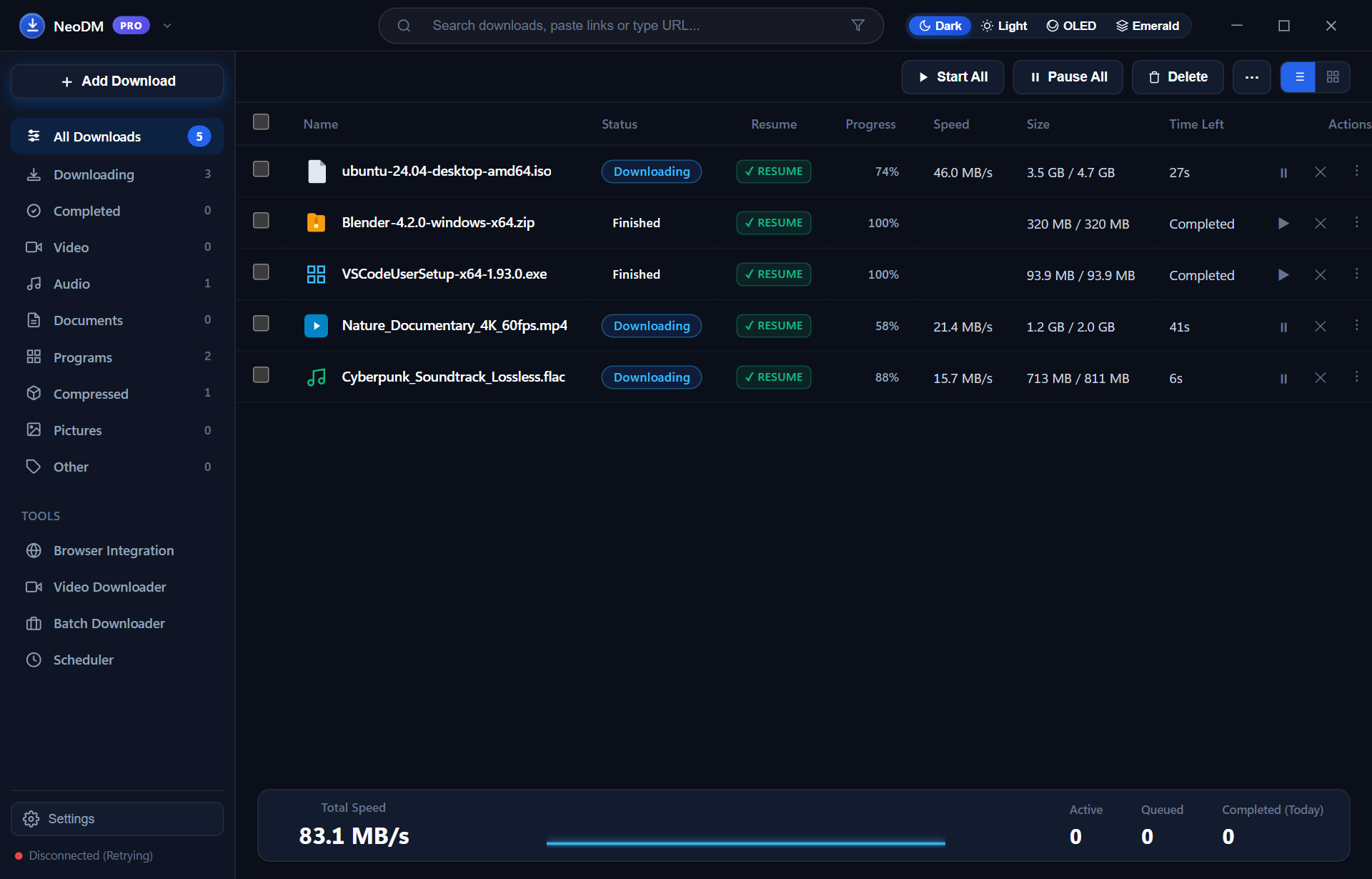
Engineered in pure Go with Microsoft Edge WebView2, NeoDM saturates up to 32 parallel TCP streams directly into destination file offsets via sparse files. When your download hits 100%, it is instantly assembled—eliminating the drive freezes of legacy download managers.

neodm://dashboard.view
NeoDM PRO Bento Interface running 32-stream download acceleration on Windows 11

Real-Time 32-Stream Concurrency

Inspect how NeoDM dynamically subdivides remaining byte ranges to saturate your entire network bandwidth with zero assembly delay.

Hardware Concurrency

Active Segment Allocation

Transfer Speed
118.4 MB/s
Active TCP Streams
32 Sockets
Disk Assembly Delay
0.00s (Instant)
Sparse Offset Writer
WriteAt (Active)
Dynamic Byte Re-Splitting: Enabled Zero Post-Download Disk Freezes Guaranteed

Engineered for Demanding Power Users

A generational leap forward combining pure compiled Go concurrency with the ergonomics of modern Bento design.

Direct Offset I/O

Dynamic Turbo Multi-Threading & Zero Concatenation

Unlike legacy download managers that store separate chunk files and freeze your drive assembling them, NeoDM streams straight into destination disk offsets via WriteAt. When your download hits 100%, it is already assembled and ready immediately.
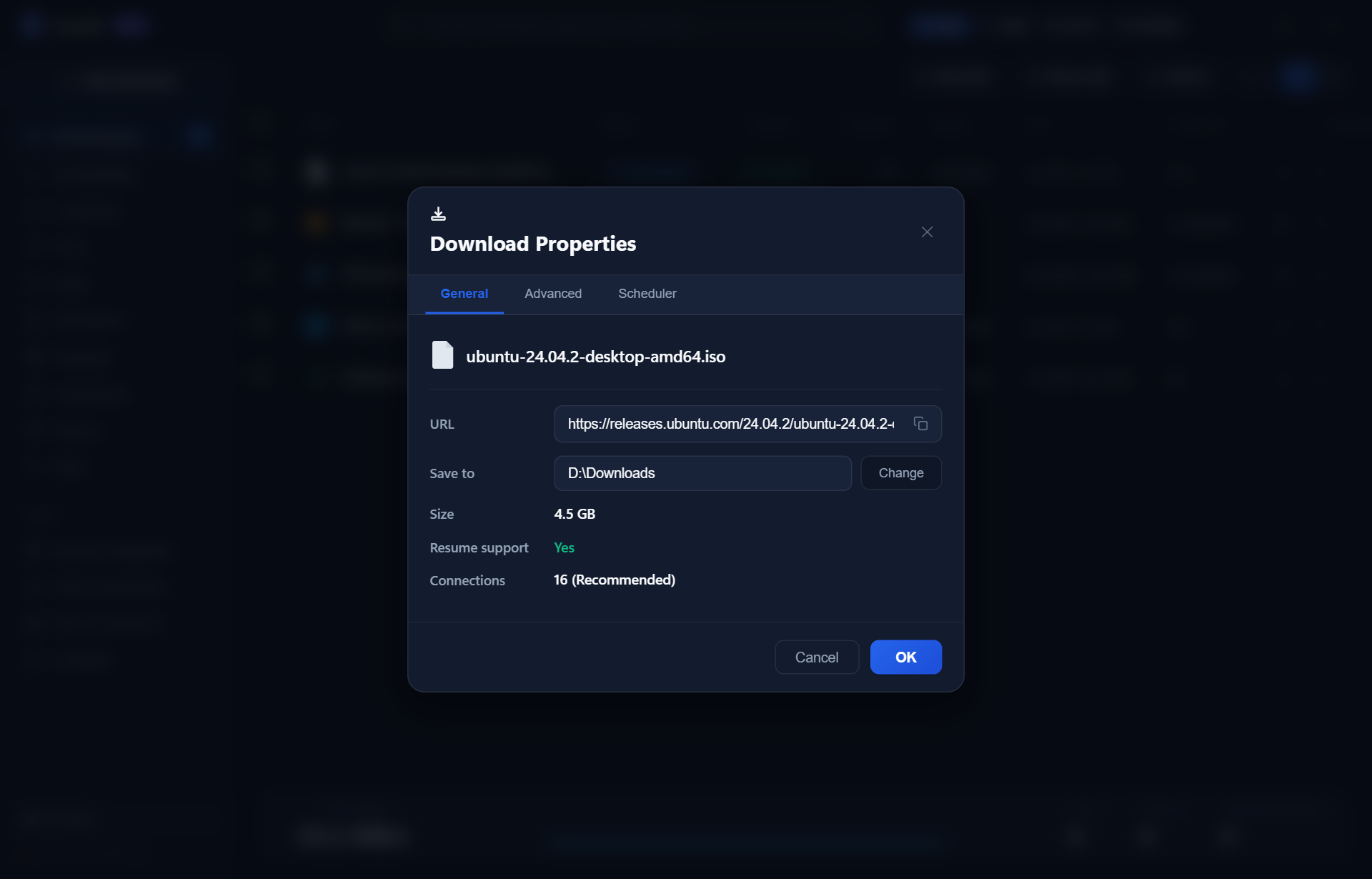
Dynamic 32-Segment Live Monitor demonstrating dynamic byte re-splitting and direct offset writing
Multimedia Sniffer

Silent Stream Grabber & Audio Muxing

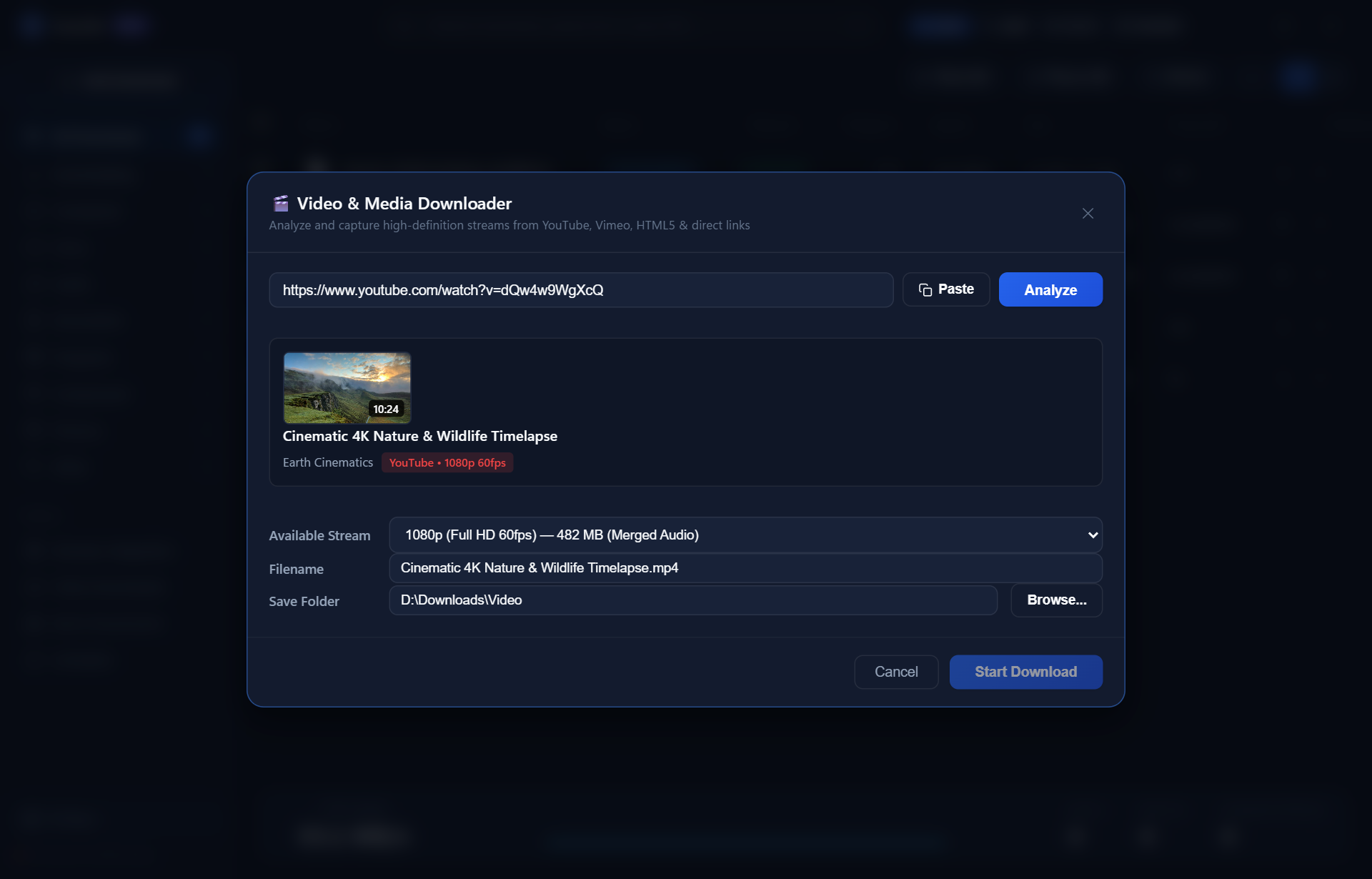
Extract 1080p, 720p, or high-bitrate audio from YouTube, Vimeo, Twitch, and HTML5 video sites. Floats an ergonomic download badge directly on web players and muxes audio and video tracks into pristine MP4 containers with zero command prompt popups.

NeoDM Silent Video Stream Downloader and MP4 Audio Muxer on Windows
Storage Management

Host Drive Capacities & Scratch Guard

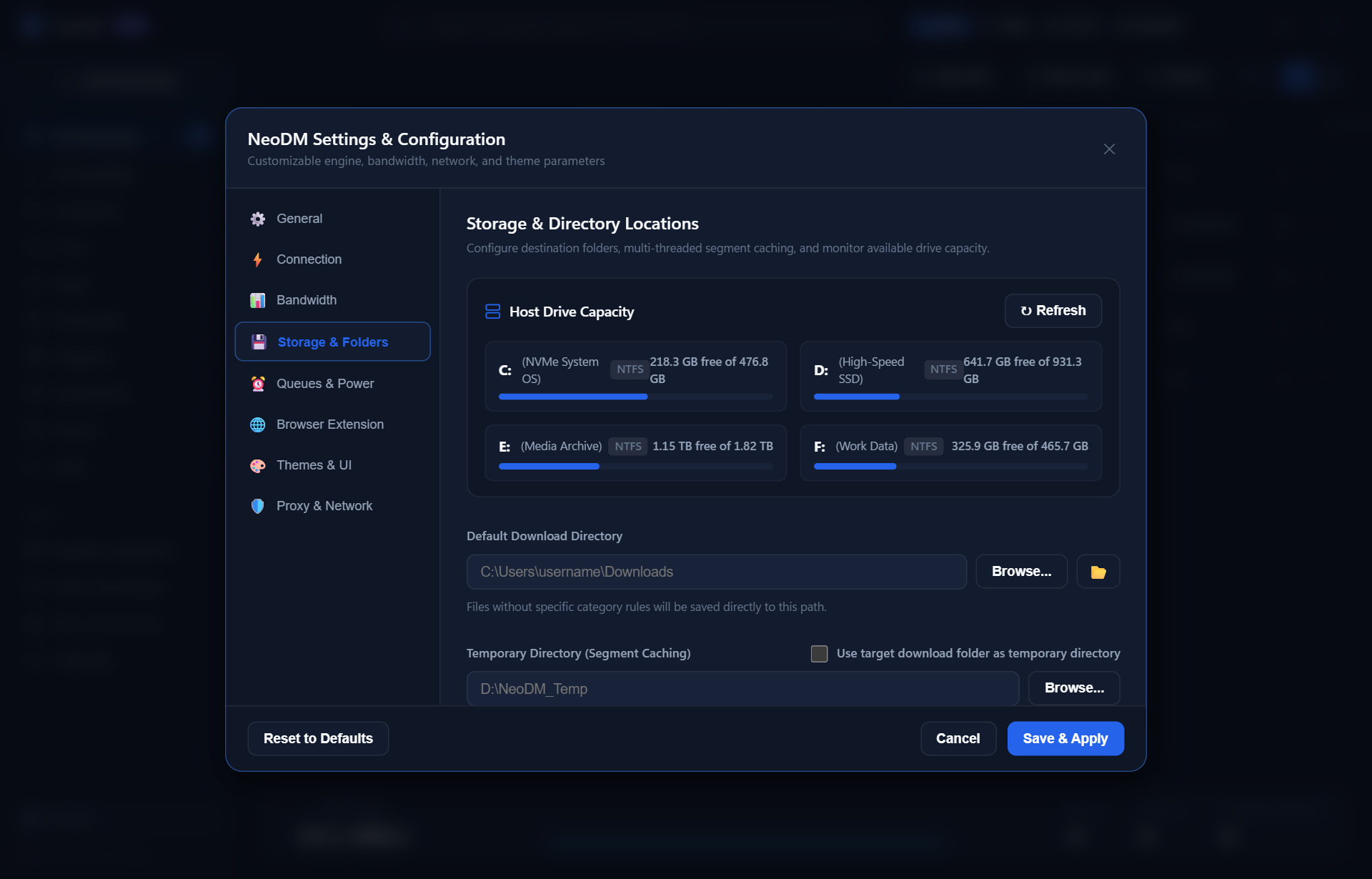
Direct Win32 API integration enumerates all mounted physical drives (C: through I:), displaying live capacity meters, volume labels, and automatically organizing downloads into smart category directories.

Win32 Host Storage Capacity Meters and volume scratch guard across C to I drives
Manifest V3 Integration

Seamless Browser Companion & 1-Click Launchers

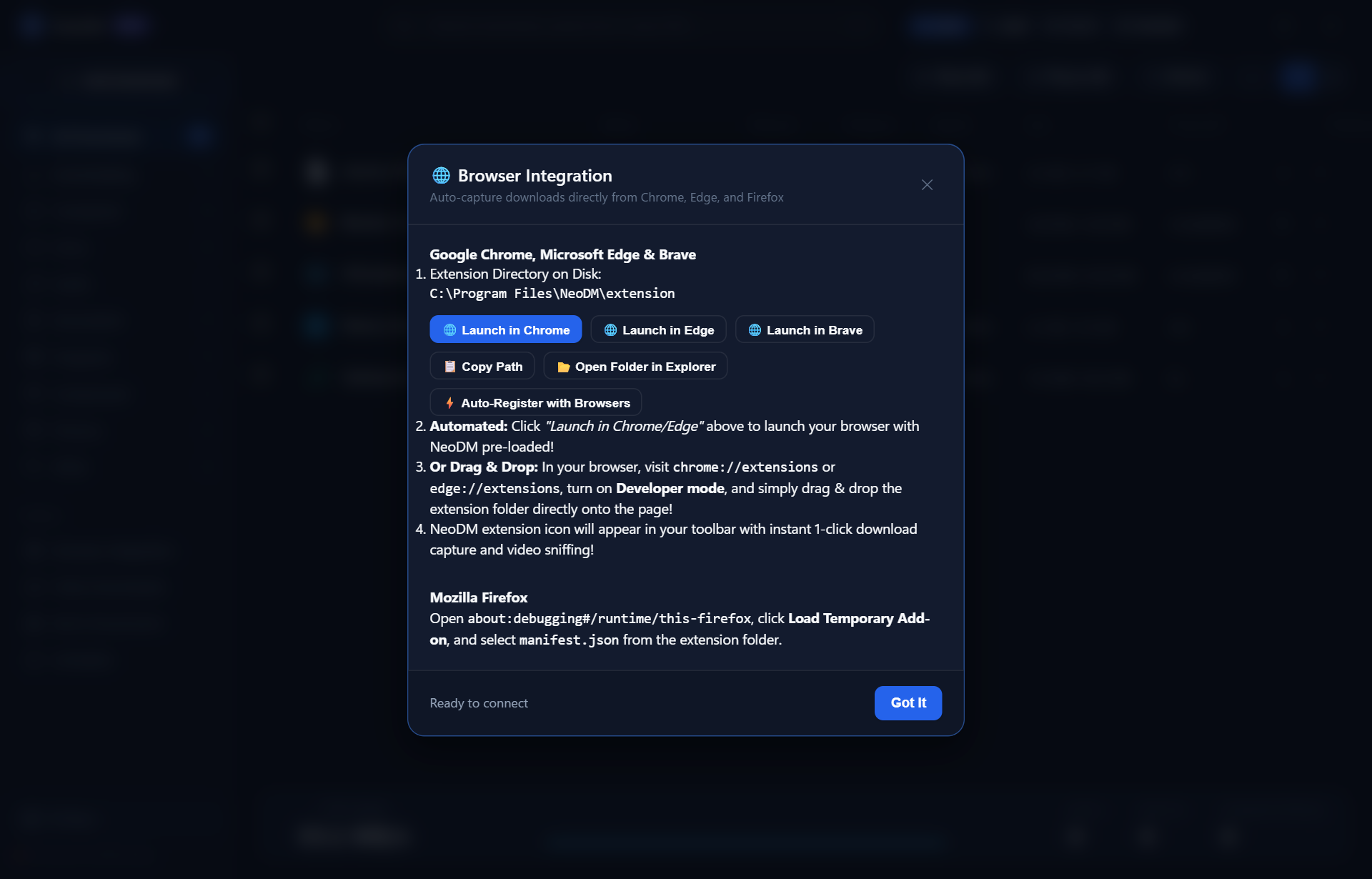
Auto-registers with Chrome, Edge, Brave, and Firefox via Windows Registry. Includes 1-click browser launchers, native right-click media menus, cookie & authentication header forwarding, and automatic link interception with Alt hotkey bypass.

Manifest V3 Browser Extension Companion registered with Chrome, Edge, Brave, and Firefox
Automation & Power

Main & Night Queue Scheduler

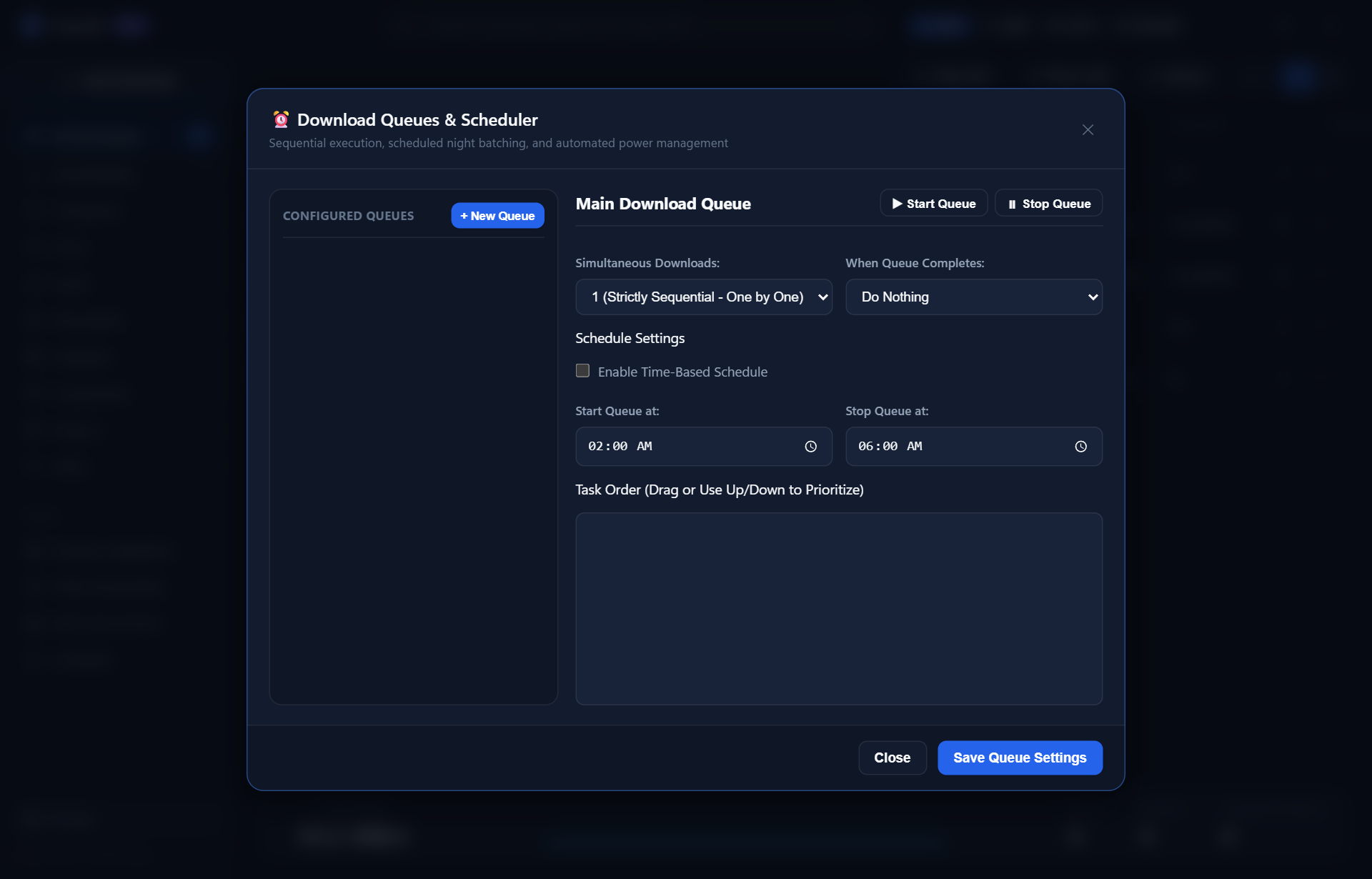
Organize batch downloads with customizable start and stop windows. Features automatic post-completion power actions including Computer Sleep and Automated System Shutdown.

Batch Download Queue Scheduler with automatic computer sleep and shutdown
Zero-Footprint Windows Architecture

Native System Tray Dock & Quick Restart

Runs silently in the Windows system tray with instantaneous single-instance restoration, DWM Dark Aero Snap, 1-click service restart, and under 35 MB of RAM consumption.

  • ✓ < 200 ms instantaneous cold boot time
  • ✓ < 35 MB RAM average active memory footprint
  • ✓ PerMonitorV2 crisp rendering on 4K & Ultrawide displays
  • ✓ Zero Disk Assembly Freezes via sparse WriteAt technology

Architectural Matrix: NeoDM vs. Legacy Tools

See why developers and power users are switching from 90s-era download managers.

Feature / Capability NeoDM PRO Internet Download Manager (IDM) Free Download Manager (FDM)
Max Concurrent TCP Streams Up to 32 Dynamic Streams Up to 32 Dynamic Up to 10 Static
Direct Offset Sparse Storage (WriteAt) ✓ Yes (0s disk freeze) ✕ No (Lengthy file concatenation) Partial
Cold Application Boot Time < 200 ms ~ 800 ms ~ 2.5 s
Memory Consumption (RAM) < 35 MB RAM ~ 45 MB RAM ~ 150 MB RAM
Modern Bento UI (Light / Dark) ✓ Yes (Fluent Bento 2.0) ✕ No (Legacy 90s Win32 GUI) Standard Web UI
Silent Video & Stream Sniffer ✓ Yes (Muxed MP4, Zero Terminals) ✓ Yes Limited
Dual CLI & Desktop GUI Engine ✓ Yes (Native neodm CLI) ✕ No ✕ No
Clean Open-Source & Auditable ✓ Yes (Pure Go, GPLv3) ✕ No (Closed Proprietary) Open Source

The Exact Same Binary Powers Both GUI & CLI

Integrate high-speed downloads directly into automated scripts, CI/CD pipelines, or terminal workflows.

PowerShell / Command Prompt — neodm.exe
# 1. High-speed direct download with live terminal progress bar
PS >neodm https://speed.cloudflare.com/__down?bytes=104857600 -o 100mb.bin

# 2. Maximize throughput with 32 parallel connections & custom save folder
PS >neodm download https://releases.ubuntu.com/24.04/ubuntu.iso -d D:\ISOs -c 32 -s 15M

# 3. Query all active downloads, transfer rates, and remaining queue items
PS >neodm list

Everything You Need to Know About NeoDM

Answers to common questions regarding download speeds, open-source licensing, WinGet installation, and browser integration.

Is Neo Download Manager (NeoDM) completely free and open-source?

Yes. NeoDM is 100% free and open-source software licensed under the GNU General Public License v3.0 (GPLv3). There are no advertisements, paid upgrades, telemetry tracking, trial expirations, or bundled bloatware. The entire Go codebase is auditable on GitHub.

Why is NeoDM faster than Internet Download Manager (IDM) and legacy tools?

Legacy download managers store each connection stream as a separate temporary chunk file, forcing a prolonged disk freezing phase while concatenating the pieces. NeoDM streams straight into destination disk byte offsets using sparse file WriteAt. When your download hits 100%, it is already assembled—eliminating disk freezes and saving minutes on large files.

How do I install NeoDM via Windows Package Manager (WinGet)?

You can install NeoDM with a single terminal command in PowerShell or Command Prompt: winget install NeoDM.NeoDM. NeoDM has passed all 10 automated Microsoft WinGet validation stages including Windows Sandbox silent installation and Microsoft Defender safety verification.

Which web browsers are supported by the NeoDM companion extension?

NeoDM includes a Manifest V3 browser companion that auto-registers with Google Chrome, Microsoft Edge, Brave, Opera, and Mozilla Firefox. It intercepts browser downloads, supports Alt key click bypass, forwards session cookies and authentication headers, and adds right-click media sniffer menus.

Does NeoDM support video downloads and stream muxing?

Yes. NeoDM includes a built-in silent multimedia extractor that detects 1080p, 720p, and audio-only streams from YouTube and HTML5 video platforms. It automatically muxes separate video and audio streams into clean MP4 containers with zero command prompt popups.

Can I run NeoDM as a command-line tool (CLI) in automation scripts?

Yes. The exact same Go binary operates as both a Windows desktop GUI app and a standalone CLI tool. You can invoke neodm <url> -c 32 -o myfile.bin directly in PowerShell, bash, or CI/CD pipelines with real-time terminal progress indicators.